Codex Model Provider Setup
We recommend configuring the HaoAI provider and API key in CC Switch first. After that, enable WebSocket for smoother long Codex coding sessions.
Use CC Switch Visual Setup
CC Switch is an open-source provider management tool for users who prefer a visual interface.
1. Install CC Switch
macOS
brew install --cask cc-switchOr go to Releases to download the .dmg for manual installation.
Windows
Go to Releases to download the .msi installer.
Linux
# Debian / Ubuntu
sudo dpkg -i CC-Switch-*.deb

# Fedora / RHEL
sudo rpm -i CC-Switch-*.rpm

# AppImage
chmod +x CC-Switch-*.AppImage && ./CC-Switch-*.AppImage
Supports macOS 12+, Windows 10+, Ubuntu 22.04+ / Debian 11+ / Fedora 34+
2. Add HaoAI Provider
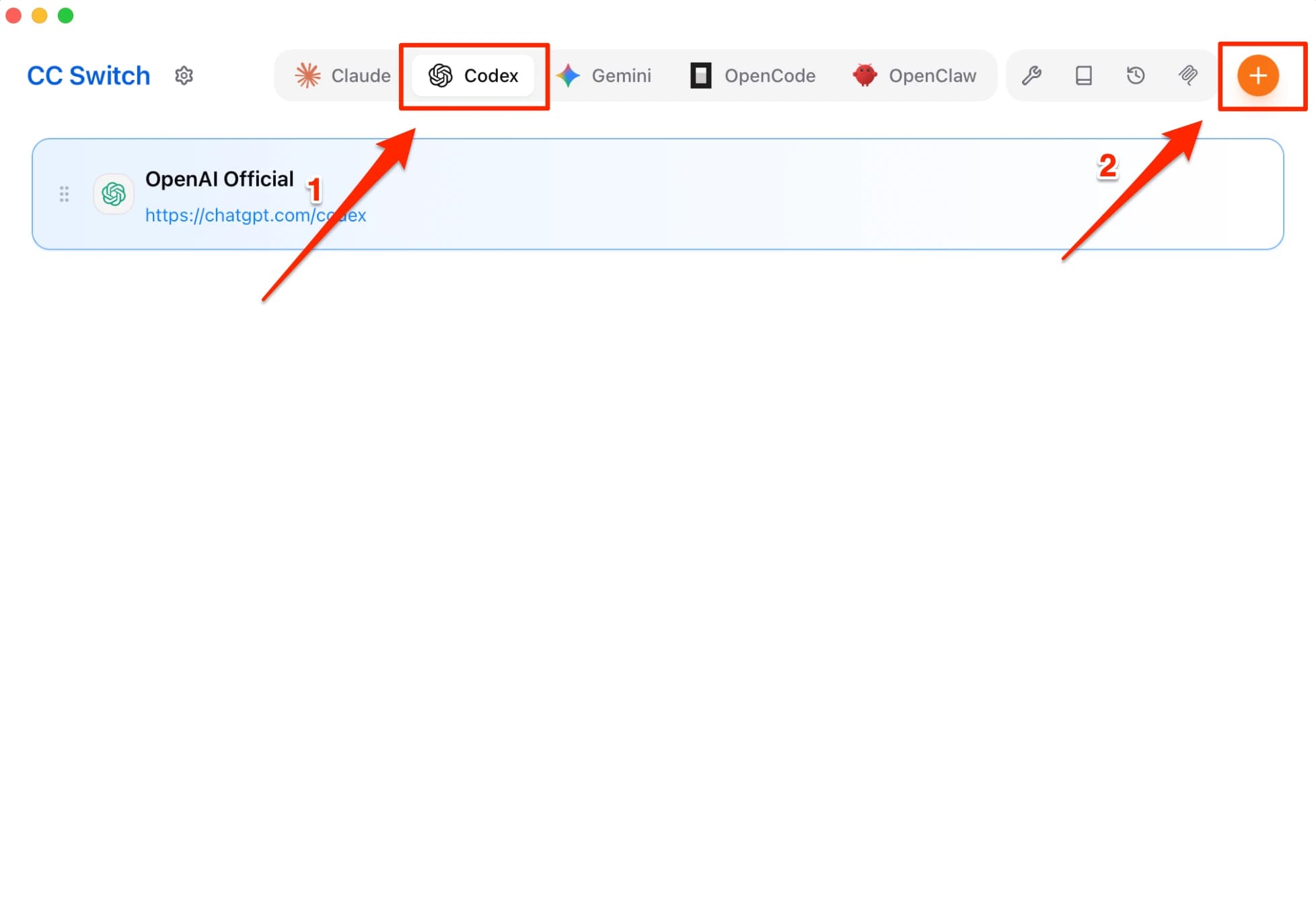
Step 1: Add a New Provider
Switch to the Codex tab at the top, then click the + button in the top-right corner.
Step 2: Fill in the Configuration
Fill in the fields as shown below, then click + Add to complete.
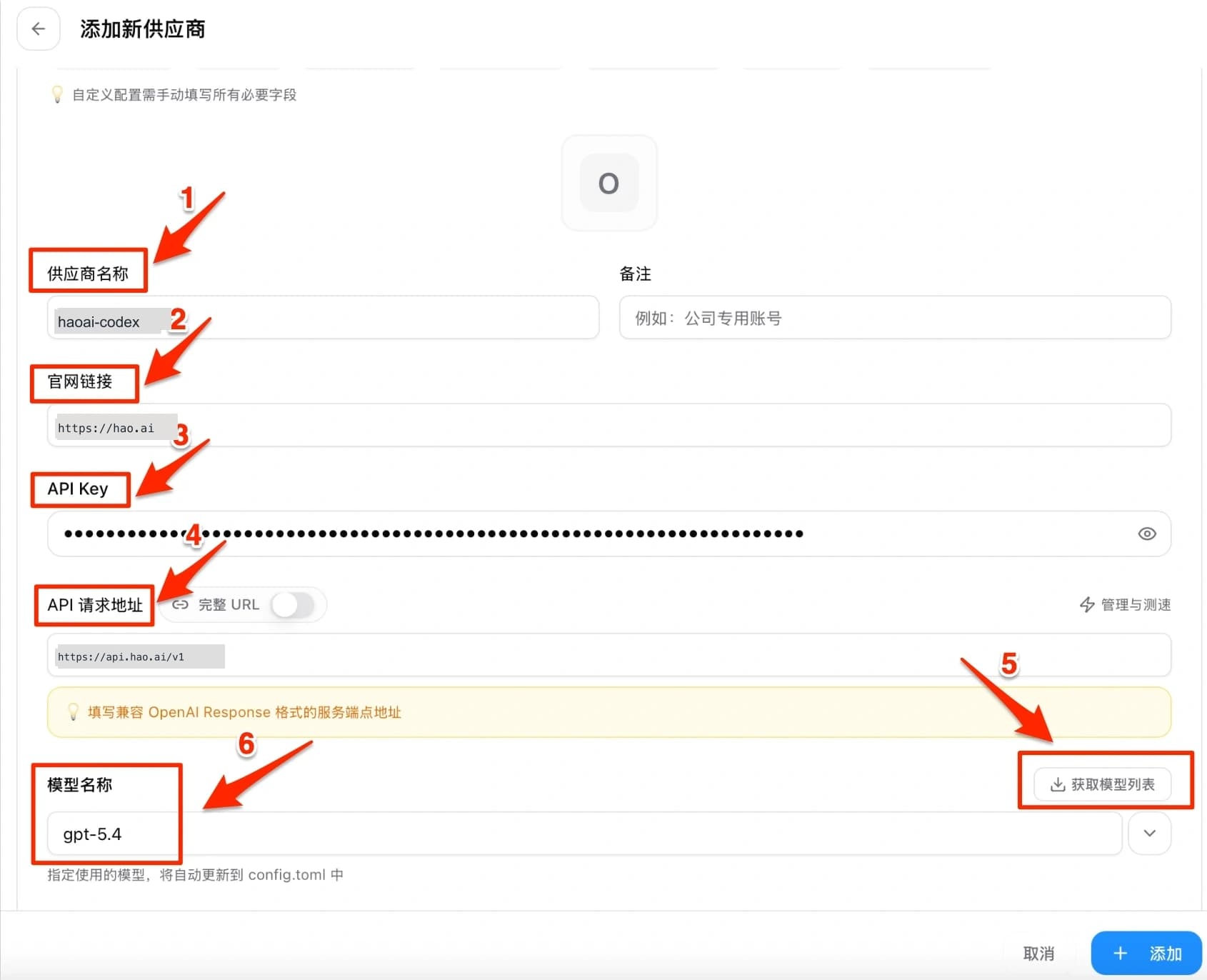
| Field | Value | Description |
|---|---|---|
| ❶ Provider Name | haoai | Recommended name, easier to match with the WebSocket settings |
| ❷ Website URL | https://hao.ai | Provider website |
| ❸ API Key | Your HaoAI API Key | Get it at hao.ai/console/api-keys |
| ❹ Request URL | https://api.hao.ai/v1 | Do not add a trailing slash |
| ❺ API Format | OpenAI Compatible | Select OpenAI compatible format |
| ❻ Write to Global Config | ✅ Checked | Writes to global config, applies to all projects |
CC Switch automatically writes to the config file — no manual file editing required.
Step 3: Activate the Provider
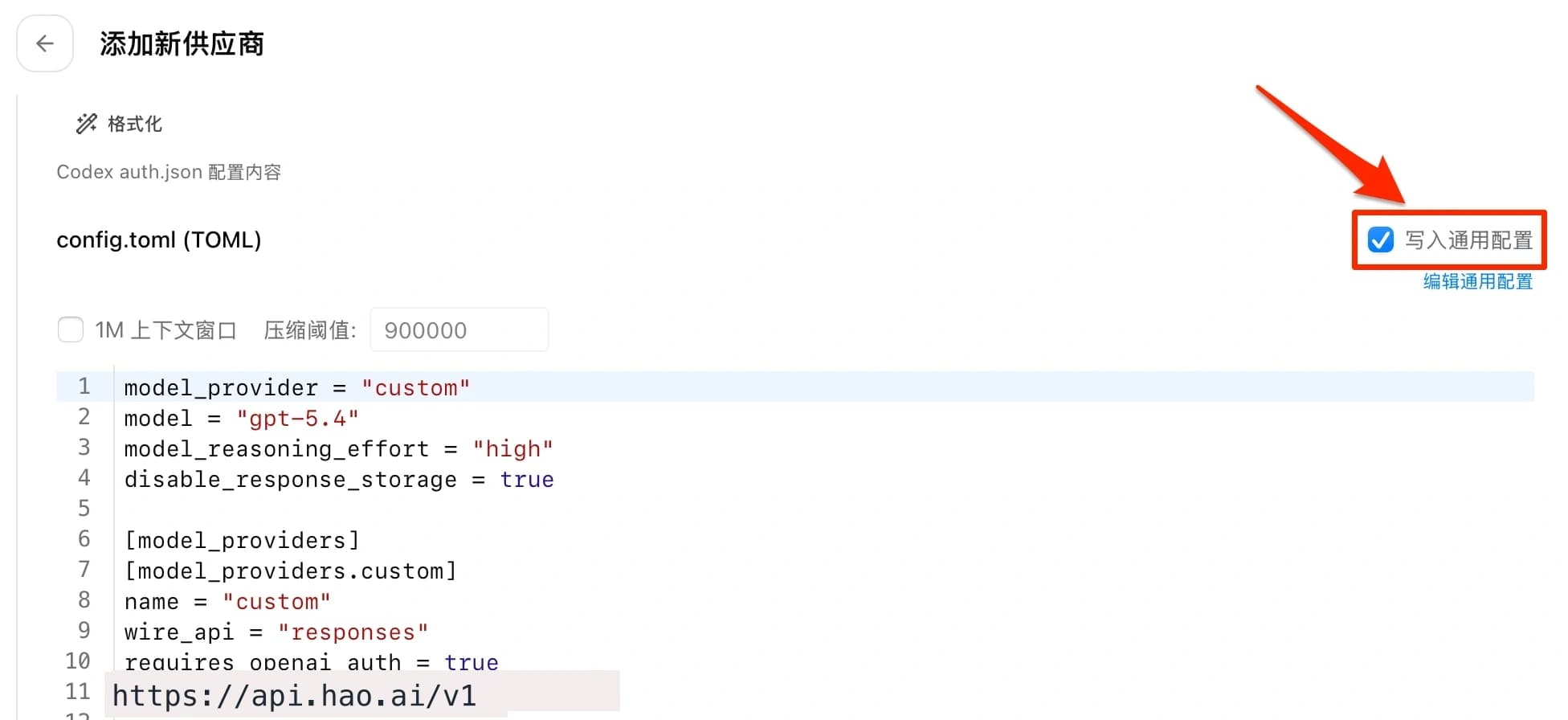
After adding, go back to the list, select haoai, and click Use. Make sure Write to global config is checked — the settings will be automatically written to config.toml.
Verify Configuration
codex "hello"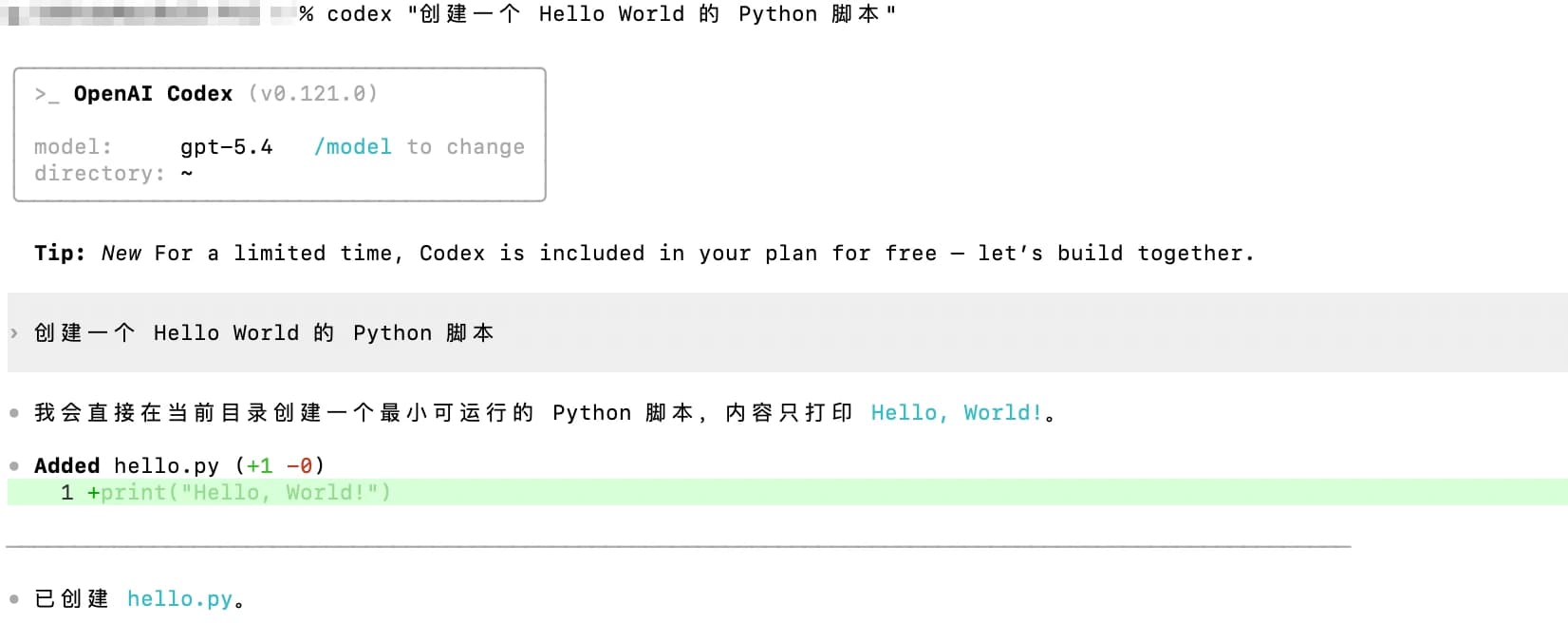
A normal AI response confirms the configuration is working.
Next Step
- Enable WebSocket (Recommended) — Add the Responses protocol format and WebSocket settings for smoother long coding sessions
Specify a Model
codex --model <model-id> "Refactor this function"Codex CLI uses the Responses protocol format (wire_api = "responses") for streaming coding responses and tool calls. Not all models support this format. When selecting a model, confirm it supports the Responses protocol on the HaoAI Model Marketplace — otherwise you will get an error.
For recommended models, see the HaoAI Model Marketplace .
Troubleshooting
Q: “Authentication error” message
Confirm the API Key is correctly filled in and the request URL has no trailing slash.
Q: Connection timeout
Verify the request URL is https://api.hao.ai/v1 with no trailing slash.